How to OCR an Arabic Scanned PDF and Check the Text
Make an Arabic scan searchable with OCR, choose the correct language option and proofread joined letters, punctuation and mixed-script details.
What this workflow actually does
Arabic scanned PDFs often contain page images rather than selectable text. OCR can create a text layer that makes words searchable, but recognition is sensitive to scan quality, font, diacritics and orientation. Arabic script also connects letters according to their position in a word, so a searchable PDF may still contain errors in the recognized text. Searchability is a useful capability, not proof of exact transcription.
Check whether the document is Arabic-only or mixes Arabic with English, French or numerals. The current OCR PDF interface includes Arabic and an English-plus-Arabic option, and indicates a maximum of 25 pages per run. For a larger source, prepare ordered batches and preserve the original page sequence. Use the combined language only when both scripts really appear.
Decisions to make before processing
The practical purpose of how to ocr an arabic scanned pdf and check the text is to solve the specific problem described here, not to make every kind of file behave the same way. Start with the original document and the receiving system’s requirements. File format, page count, source quality and the features a reader must retain all influence whether OCR PDF is the right first step.
Before choosing ocr pdf for how to ocr an arabic scanned pdf and check the text, separate mandatory requirements from preferences. A strict portal size or format rule is mandatory; a smaller file, identical layout or a particular visual style may be only a preference. Where the requirements conflict, ask the recipient which one takes priority rather than silently sacrificing content.
Step-by-step workflow
Step 1
Open the OCR PDF page and choose a working copy of the correct source file. Confirm its filename, page or image count and format before you begin how to ocr an arabic scanned pdf and check the text. Keep the original in a separate folder so that an unexpected result can be compared or reversed.
Step 2
Read the available controls and compare them with the specific requirement described in this guide. For how to ocr an arabic scanned pdf and check the text, select only the files, pages, output format or quality options required for the intended task; avoid changing unrelated settings simply because they are visible.
Step 3
For how to ocr an arabic scanned pdf and check the text, run the operation and save the result as a new file. Avoid reusing the source filename if that could overwrite your only copy. If the browser reports an error or processing appears to stop, preserve the original and retry only after checking the file and available device memory.
Step 4
After how to ocr an arabic scanned pdf and check the text, open the downloaded output in a separate PDF reader or image viewer. Compare the first, a representative middle section and the last page or image; inspect the special items called out in this guide rather than judging the result from a thumbnail alone.
Step 5
Before sharing the output, confirm that it matches the receiving organization’s current rules for file type, size, page count, quality and security. Record any manual corrections you made so that another copy of how to ocr an arabic scanned pdf and check the text can be produced consistently.
A realistic planning example
A 52-page Arabic archive can be prepared as two batches of 25 pages and a final batch of 2 pages. Record the page ranges before processing, then verify the boundaries and order if the results are recombined. This demonstrates batching arithmetic; it is not evidence that OCR was run on a 52-page sample.
The planning scenario for how to ocr an arabic scanned pdf and check the text is not a measured TinyPDFTools result. Actual output depends on the source file, browser, device memory and selected settings. A defensible before-and-after claim requires retaining both files, recording the exact settings and documenting how readability or functionality was checked.
How to check the finished file
Check connected letters, dots, hamza marks and punctuation. Mixed Arabic and Latin text deserves special attention: compare account numbers, dates and reference codes one character at a time. Searchability alone does not prove a faithful transcript. Have a qualified Arabic reader proofread important material against the original page images.
A successful download is only the start of quality control for how to ocr an arabic scanned pdf and check the text. Reopen the output in a separate viewer, not just the browser’s result panel. Compare the beginning, a representative middle section and the end, then inspect any special content mentioned in the source such as forms, tables, signatures or multilingual text.
Do not overwrite the source during how to ocr an arabic scanned pdf and check the text. A separate output lets you compare changes, return to the original after an unexpected result and produce a different version for another recipient. Keep the original until the recipient has accepted the new copy and any retention rules have been considered.
Troubleshooting and fixes
Problem 1: identify the cause
OCR returns Latin-looking characters for Arabic: confirm the Arabic language selection and use a clearer scan. Correct important text manually against the image.
Problem 2: protect quality
Words are searchable but copied in the wrong order: the text layer may not match natural right-to-left reading. Compare a full line and correct the text in a separate document if needed.
Problem 3: confirm recipient rules
Some pages have no searchable text: check whether all ranges were processed and whether faint or rotated pages were included in the batch.
Limitations you should understand
OCR is not a certified Arabic transcription and can confuse similar letter shapes, omit dots or mishandle mixed-direction text. The current tool indicates a 25-page maximum per run. It cannot guarantee perfect formatting, diacritics or table reconstruction. Human review is essential for contracts, applications, accounting records and other consequential documents.
The limits of how to ocr an arabic scanned pdf and check the text matter most when the file is evidence, an official record or a document that another person must edit. A correct-looking preview does not prove that links, forms, embedded attachments, text order or metadata were preserved. Keep the original and test the functions your workflow actually needs.
When a different method is safer
For how to ocr an arabic scanned pdf and check the text, use ocr pdf only when its documented operation matches the requirement. Choose the original authoring app for exact layout, a dedicated OCR editor for corrected transcription, or a certificate-capable signing service for verified signatures. If the output keeps losing essential detail, ask the recipient about an accepted alternate format rather than repeating a damaging process.
Screenshots of the product interface
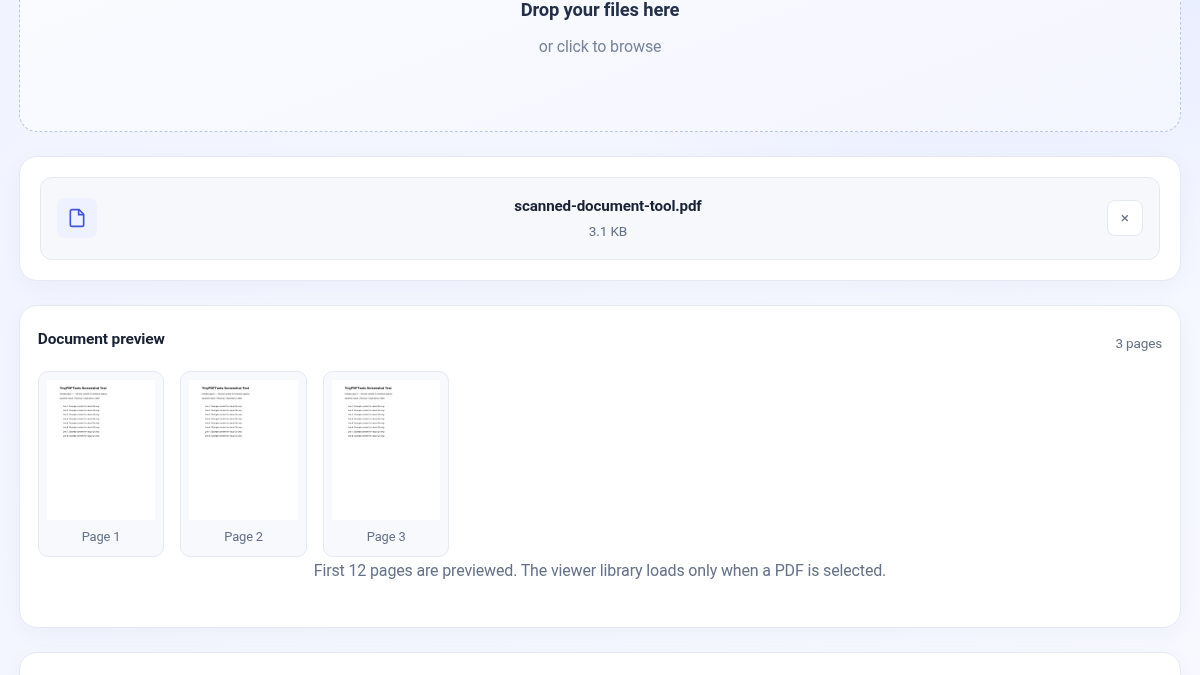
These first-party screenshots show interface states relevant to how to ocr an arabic scanned pdf and check the text. They document the product interface only; they are not before-and-after test results, performance benchmarks or proof that every input produces the same output.

Frequently asked questions about how to ocr an arabic scanned pdf and check the text
Does OCR make the source text perfectly accurate? (How to OCR an Arabic Scanned PDF and Check the Text)
OCR produces recognized text, not a guaranteed verbatim transcript. Check names, dates, amounts, page numbers and punctuation against the scanned image before relying on the text from how to ocr an arabic scanned pdf and check the text. This answer is specific to ocr arabic scanned pdf.
Which language setting should I choose? (How to OCR an Arabic Scanned PDF and Check the Text)
Choose the recognition language that matches the actual page. Where the tool offers Arabic and English-plus-Arabic, select the combined option for pages that mix both scripts; still proofread numbers and mixed-direction lines. This answer is specific to ocr arabic scanned pdf.
Why can searchable text still be wrong? (How to OCR an Arabic Scanned PDF and Check the Text)
OCR can recognize words while misreading columns, tables or right-to-left order. Review the text sequence separately from character accuracy and compare the first, middle and final pages. This answer is specific to ocr arabic scanned pdf.
What should I review on a multi-page scan? (How to OCR an Arabic Scanned PDF and Check the Text)
Improve the source before retrying how to ocr an arabic scanned pdf and check the text: rotate pages upright, avoid clipped edges and use a clear scan with readable character strokes. Low contrast, skew and handwriting can reduce recognition quality. This answer is specific to ocr arabic scanned pdf.
When is manual transcription safer? (How to OCR an Arabic Scanned PDF and Check the Text)
Manual transcription or specialist review is safer when a single digit or letter has legal, medical or financial consequences. Treat OCR as a draft that needs checking, not as approval. This answer is specific to ocr arabic scanned pdf.
Conclusion and final checklist
The reliable approach to how to ocr an arabic scanned pdf and check the text is to begin with the recipient’s requirement, keep an untouched source and inspect the exported copy before sharing it. Confirm that the expected pages or images remain present, important details are readable and the file meets the stated format and security rules. Keep the original until the new copy is accepted.
Continue with OCR PDF after checking the requirements and limitations explained above.
Open OCR PDF →